
Insurance Claims Workflow Automation That Saves Hours Weekly

What Is Insurance Claims Workflow Automation?
TL;DR Let your software chase deadlines and paperwork, so claims close and checks show up sooner. Insurance claims workflow automation is really just this: you set your rules once, and the software remembers what each claim needs next. The intake call, the policy read, the supplement, the carrier’s deadline, the invoice. When it’s time, it pings whoever owns that step. For public adjusters, restoration contractors, and property insurance attorneys, that means less stuff falling through and checks that land sooner.
Picture the best office manager you’ve ever had, minus the vacation days. A new claim lands and the task list builds itself. Photos end up where they belong. Reminders are on the calendar before anyone’s finished their first coffee.
This Isn’t the Same as Carrier Automation
Search for claims automation and you’ll mostly find articles written for insurance companies. They talk about fraud scores and paying small auto claims without a person ever looking. Fine for a carrier. But you sit on the other side of the table, and your job is building a file strong enough to get the claim paid right.
Why Manual Claim Workflows Quietly Cost You Money
Here’s a scene most adjusters know by heart. It’s 4:30 on a Tuesday and a homeowner calls about her water damage claim. The reinspection photos exist somewhere. Maybe your inbox, maybe a shared drive, maybe still on your field tech’s phone. You put her on hold and start digging.
On its own, ten minutes is nothing. Do it a few times a day across forty open files, though, and a real chunk of your week disappears. And honestly, the search isn’t even the worst part. The worst part is the follow up that never went out while you were busy looking.
The Carrier Clock Keeps Running
Carriers don’t get unlimited time, either. Florida spells it out better than most. Under Florida Statute 627.70131, here’s what a property insurer owes you (with a few exceptions):
- Acknowledge your claim communication within 7 days
- Inspect within 30 days of getting the proof of loss
- Share its adjuster’s estimate with the policyholder within 7 days of writing it
- Pay or deny the claim within 60 days of notice
Those dates only help you if somebody is actually watching them. When the clock starts on its own for every file, you’re the one holding the carrier accountable, not the other way around.
Bigger Settlements, Slower Timelines
Florida’s government research office once compared claims handled with and without public adjusters. As Bankrate points out, the typical settlement came in around $22,266 with a public adjuster versus $18,659 without one. The catch? Those same claims took longer to wrap up. That slower part is exactly what good workflow automation goes after.
The Claim Lifecycle Automation Map

Almost every property claim runs through the same stages. Here’s how we’d split the work between software and people at each one.
| Claim Stage | Let Software Handle | Keep a Person On |
| Intake and file setup | Building the claim record, task list, and client portal | Signing the client and setting expectations |
| Policy review | Flagging exclusions and odd endorsements | The final coverage opinion |
| Documentation | Sorting photos, estimates, and letters into one file | Deciding which evidence matters |
| Estimate review | Comparing carrier and contractor estimates line by line | Picking which items are worth the fight |
| Supplements | Drafting from the flagged gaps | A last read before it goes out |
| Carrier deadlines | Reminders tied to statute dates | Escalating when a carrier stalls |
| Billing and closeout | Invoices, fees, and liens tied to the claim | The final conversation with the client |
Don’t try to automate the whole thing in week one. Pick the stage that’s giving you the most grief right now. For a lot of firms that’s estimate review or deadline tracking, since those two decide how much the claim pays and how quickly the money shows up.
How to Automate Insurance Claims One Step at a Time
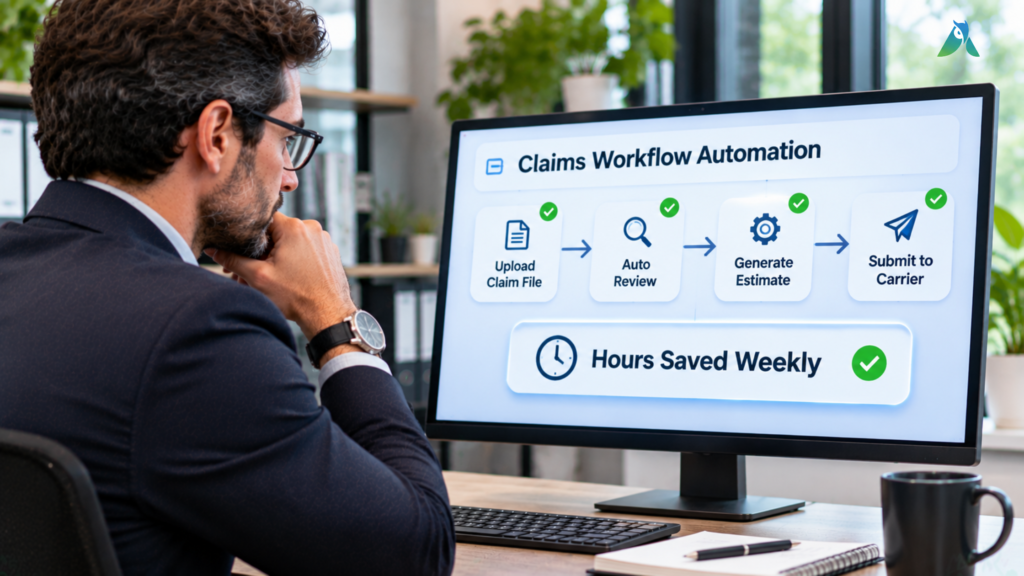
You don’t need an IT department for this. A small firm can usually get a working setup going in a few weeks, as long as things happen in the right order.
Step 1: Write Down How Claims Move Today
Grab a whiteboard and walk one claim from the first phone call to the final check. Every time you hit a step that happens on every single file, circle it. Those circles are where automation pays off first.
Step 2: Get Every File Into One Place
Most delays start with scattered files. When each claim has one record holding the emails, photos, estimates, and notes, anybody in the office can answer a client without a scavenger hunt. We dig into this more in our post on automated claims processing.
Step 3: Let Dates Create the Tasks
Set up rules so the important dates do the work for you. Date of loss, notice date, proof of loss submitted: each one should kick off its own reminders. You want the heads up a week before a deadline, not the morning after.
Step 4: Hand the Heavy Reading to AI
Somewhere in a 60 page policy there’s usually one endorsement or exclusion that changes the whole claim. You won’t spot it skimming at 9 p.m. with cold coffee. The Adjusted Policy Analyzer flags that stuff for you in a few minutes. You still read the parts that matter. You just stop hunting for them.
This isn’t just hype, either. McKinsey studied automation in insurance years ago and came away with a pretty plain answer: insurance can be automated about as much as the rest of the economy.
Step 5: Don’t Let the Software Make Judgment Calls
The software can draft things and flag them. Let your licensed people decide. Coverage opinions, settlement numbers, and anything heading toward a lawsuit should always get a human sign off.
What Claims Workflow Automation Looks Like by Role
An adjuster, a roofer, and a lawyer all feel the paperwork squeeze. They just feel it in different places.
Public Adjusters
After a big storm, you might sign forty new clients in two weeks. That’s when templates earn their keep, because nobody has time to build a task list from scratch at 11 at night. Plus you open one screen and see which files haven’t moved since Monday.
There’s a reputation side to this too. A client who calls for an update and gets an answer on the spot tells the neighbors about you. In this business, those neighbor referrals are still how most firms grow.
Restoration Contractors
For contractors, supplements are where the money gets won or lost. Since Xactimate is the standard estimating tool in property claims, your estimate and the carrier’s usually show up in the same format.
That makes them easy to compare. The Adjusted Estimate Analyzer opens both Xactimate files and sets them side by side. If the carrier left out drip edge or priced the shingles low, you’ll see it fast, and the supplement can go out that afternoon.
Property Insurance Attorneys
If a claim ends up in litigation, the other side will poke at every gap in your file. Having each email and estimate version saved to the claim, with dates, makes that a lot less scary. And when your time and costs already sit on the claim, nobody’s rebuilding invoices from memory at month end.
There’s an upside before you sign the case, too. Your paralegal can walk into intake already knowing where the coverage is thin and how far apart the estimates are. You decide faster whether it’s worth taking.
Picking Insurance Claims Processing Software Without Regret
A CRM like HubSpot is great for tracking sales leads. Claims? Not so much. Here’s our short checklist before you sign anything. The platform should:
- Read Xactimate estimates and compare versions
- Review policies for coverages and exclusions
- Track deadlines and send reminders on its own
- Keep every document in one claim record
- Keep your invoices and liens on the claim itself
- Give clients a portal to check their status
- Show proof of security, like SOC 2 Type II certification
- Bring over your existing claims without shutting you down for weeks
One more tip: bring a real claim to the demo. If the vendor can’t show you how their system handles a supplement or a deadline on your file, that tells you what you need to know.
Questions People Ask Us About Insurance Claims Workflow Automation
So what does claims automation in insurance mean?
It means the boring, repeat stuff on a claim gets done by software. Typing the same info into three places, filing photos, reminding people. Your team spends that time negotiating instead.
Is claims workflow automation the same as claims processing automation?
Not quite. Processing automation speeds up one job, like reading a PDF. Workflow automation connects the jobs, so when one wraps up, the next one starts without anybody having to remember it.
Can AI read an Xactimate estimate?
Yes. Adjusted reads Xactimate formats directly and compares the original estimate against a supplement line by line.
Is this going to replace public adjusters?
No. It takes over the busy work. The adjuster is still the one on the phone with the carrier, and that’s not changing.
Is my clients’ data safe in claims software?
It should be, but check. Ask whether the vendor has a SOC 2 Type II report. That’s an outside auditor checking how they protect data over months, not just on one day. Adjusted has it.
How long does setup take?
Most small firms are up and running in a few weeks. Move your open claims first and bring older files over later.
Get Out From Under the Paperwork
Nobody got into this work to dig through inboxes. The hours you spend hunting for photos or watching calendars are hours you’re not negotiating. Workflow automation hands those hours back to you.
Adjusted was made for people who work the policyholder’s side of a claim. If it doesn’t fit how your office runs, the 30 day money back guarantee means you’re not stuck. Bring a messy claim to the demo and see what happens. Book your free Adjusted demo and get your next claim paid faster.
