
Estimate Software: Spot Every Xactimate Change in Minutes
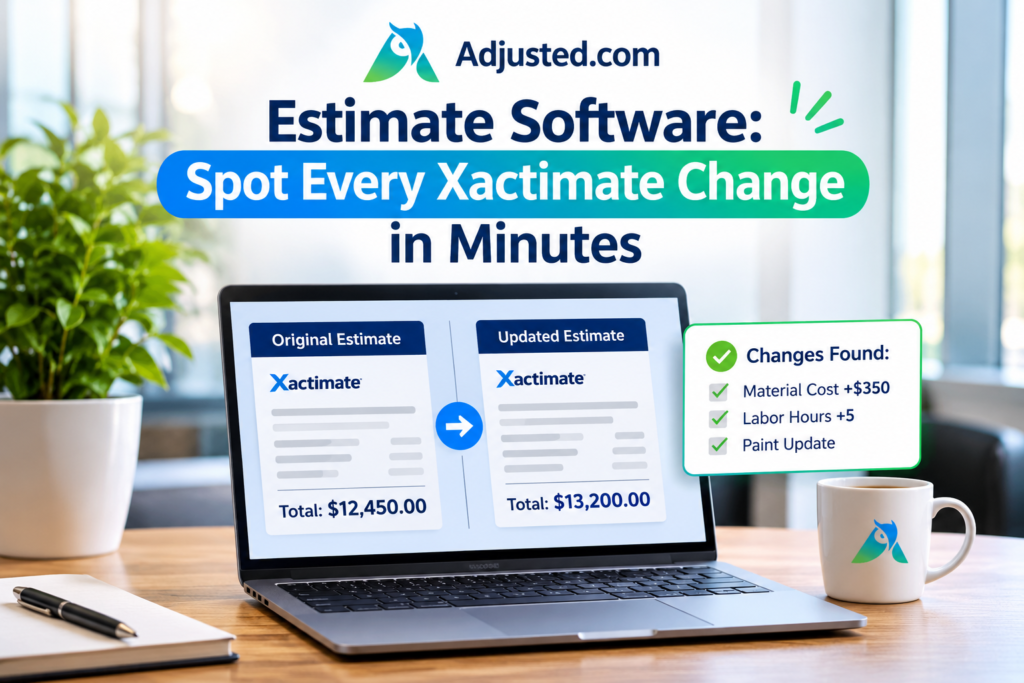
Your first Xactimate estimate is rarely the last one. A carrier revises it. A contractor adds a supplement. Soon you hold five PDFs and one big question: what changed? The right estimate software answers that in minutes, not hours. At Adjusted, we built our Estimate Analyzer for this exact problem. It reads each version, lines them up, and shows you every change. This post shows you how to stop hunting through pages and start settling claims faster.
Why Every Revised Xactimate Estimate Becomes a Tug of War
Revisions are normal in the claims process. Hidden damage shows up. Prices change. A carrier updates a scope after a second look. Each change creates a new Xactimate estimate, and each one needs a careful check.
The trouble starts when nobody can say what moved. A roofing line drops out. A quantity falls from 32 squares to 28. Depreciation grows on a few items. Tax or O&P shifts by a small amount. None of these changes jumps off the page.
Then the back and forth begins. The contractor says lines are missing. The adjuster says the scope is fair. The policyholder waits for answers and a check. Days turn into weeks.
You do not have a math problem here. You have a visibility problem. When you can see each change clearly, the argument gets short. When you cannot, the argument gets long, and it costs you time, trust, and money.
What Manual Review Costs You Without Estimate Software
Most teams still compare estimates by eye. They open two PDFs side by side. They scroll, squint, and highlight. It feels careful, but it is slow and risky.
Think about a long estimate with hundreds of lines across many rooms and trades. You must match each line to its twin in the next version. You must check the quantity, the unit price, and the totals. One tired moment and a changed line slips past you.
Spreadsheets do not fix this. Someone has to type every line in first. That re-keying eats hours and adds typos. Then you still have to compare the numbers.
Every hour spent on this is an hour away from real claim work. Missed changes also mean missed money for contractors and wrong payments for carriers. Good estimate software removes the grunt work, so your eyes go to the decisions that matter.
How Estimate Software Reads Your Xactimate Estimate in One Step
With the Estimate Analyzer from Adjusted, you start by dropping in a PDF. That is it. There are no templates to set up and no lines to retype.
Within seconds, we pull every line item into clean, structured data. You see every line item in one clean view. We also capture the key money values: RCV, ACV, depreciation, O&P, and tax. Each one is totaled for you.
Next, we map every line to a trade and an area of the property. Want to know how much roofing costs compared with drywall? One look tells you. Want to see which room carries the most cost? You can see that too.
This works on your Xactimate estimate whether you hold the carrier’s version or the contractor’s. Both go in the same way. Both come out in the same clean format. That shared format is what makes fast comparison possible in the next step.
How to Compare Two Versions and Spot Every Change
Now comes the best part. Upload your next version of the same estimate. Then run a version comparison.
Our tool lines up both versions and surfaces the variances at the line-item level. Lines that were added show up. Lines that were removed show up. Lines with new quantities or prices show up too. You no longer scroll and guess.
Say a carrier sends version two after a supplement request. You compare it with version one right away. Then you know which items were added, removed, or changed.
This also works across three, four, or five versions. You can follow the full story of a claim from the first scope to the latest one. That clear trail helps you write sharper supplement notes and answer carrier questions with facts. It also saves you from tense phone calls where nobody remembers what changed.
What to Check in Your Variance Report
A variance report is only useful if you know where to look. We suggest four checks every time.
First, look at RCV and ACV. Did the replacement cost move up or down? Did the gap between the two change? That gap tells you how much depreciation sits in the estimate.
Second, check depreciation. A small rate change on many lines can add up fast. Spot it early and you can question it early.
Third, check O&P and tax. These totals shift when line items shift. Make sure the change matches the work added or removed.
Fourth, review totals by trade and by area. If roofing jumped but the scope did not grow, ask why. If one room lost cost, ask which lines left. Each check takes a minute or two, and each one can protect real money.
Ask Questions and Get Sourced Answers
Sometimes you need an answer, not another table. That is where Estimate Q&A helps. You ask a question about any estimate in plain language. You get an answer with its source.
Try questions like these. Which lines were removed in version three? What is the total ACV for the roof? How much O&P does this estimate carry? Which trade costs the most?
Because answers are sourced, you can check them yourself. You are never asked to trust a black box. You see where the answer came from in the estimate.
This saves real time when a call comes in. A carrier rep asks about one line. A client wants a plain summary. You do not need to flip through forty pages. You type the question, check the source, and reply with confidence.
Then keep the results with the rest of your file in our claim management tools.
A Repeatable Estimate Software Routine for Every Revision
Good habits beat heroic effort. Here is a simple routine you can use on every claim.
Step one: upload the first Xactimate estimate as soon as you get it. Review the totals and the trade breakdown. Note anything odd.
Step two: upload each new version the day it arrives. Run a version comparison right away. Do not let versions pile up.
Step three: read the variances. Check RCV, ACV, depreciation, O&P, and tax. Ask Estimate Q&A about anything unclear.
Step four: save an export-ready summary for your file. Our Estimate Analyzer gives you export-ready claim summaries. File every version in our document management tools too.
Step five: send your reply with facts in hand. Name the lines that changed and the dollars behind them. Short, clear replies end disputes sooner.
Repeat the routine for every revision. Soon it takes minutes, and you will wonder how you ever did it by hand.
Start Reviewing Estimates the Easy Way
Estimate fights are rarely about bad intent. They grow from poor visibility. When you can see what changed, you settle faster and with less stress.
The right estimate software gives you that view. Every change shows up in one clear place. It reads the PDF for you. It totals RCV, ACV, depreciation, O&P, and tax. It breaks costs down by trade and area. It compares versions and answers your questions in plain language. You spend your time on judgment, not on scrolling.
We built our Estimate Analyzer for claims professionals like you. Try it on your next revised Xactimate estimate and see how fast review can feel.
Ready to try better estimate software? Visit Adjusted to get started, backed by a 30-day money-back guarantee. Or schedule a demo with our team today.
FAQs
What does estimate software do for insurance claims?
It reads estimates, pulls out line items and totals, and helps you review changes fast.
Can it read a Xactimate estimate PDF?
Yes. Upload the PDF and the tool pulls every line item into structured data.
Which values does the Estimate Analyzer capture?
It captures RCV, ACV, depreciation, O&P, and tax, then totals each one for you.
Can I compare two versions of the same estimate?
Yes. Version comparison surfaces line-item variances between estimates, so you see what changed.
Does it break costs down by trade?
Yes. You see totals by trade and by area of the property at a glance.
Can I ask questions about an estimate?
Yes. Ask in plain language and get answers with sources from the estimate itself.
Do I need templates or manual data entry?
No. Upload the PDF and line items are extracted without templates or re-keying.
