
AI Estimate Reading Software: What Works, What Hallucinates, and What to Check

Which AI estimate reading software fits your work?
AI estimate reading software analyzes estimates you already have. For property claims, look for a tool that reads Xactimate estimates and helps you compare line items, quantities, prices, and scope. Choose based on the estimate you need to review, then check the AI’s findings against the source before acting on them.
I’m Nikolaos Stafford, Head of Sales & Marketing at Adjusted, where I work with AI tools that read Xactimate estimates and support property claims teams. My decade of experience across SaaS, AI, and insurance shapes how I evaluate AI estimate reading software: by what it helps people verify, not just how fast it produces an answer.
What AI estimate reading software does
AI estimate readers start with an estimate that already exists, such as a carrier’s Xactimate estimate or a contractor’s repair bid, and turn it into structured data you can question.
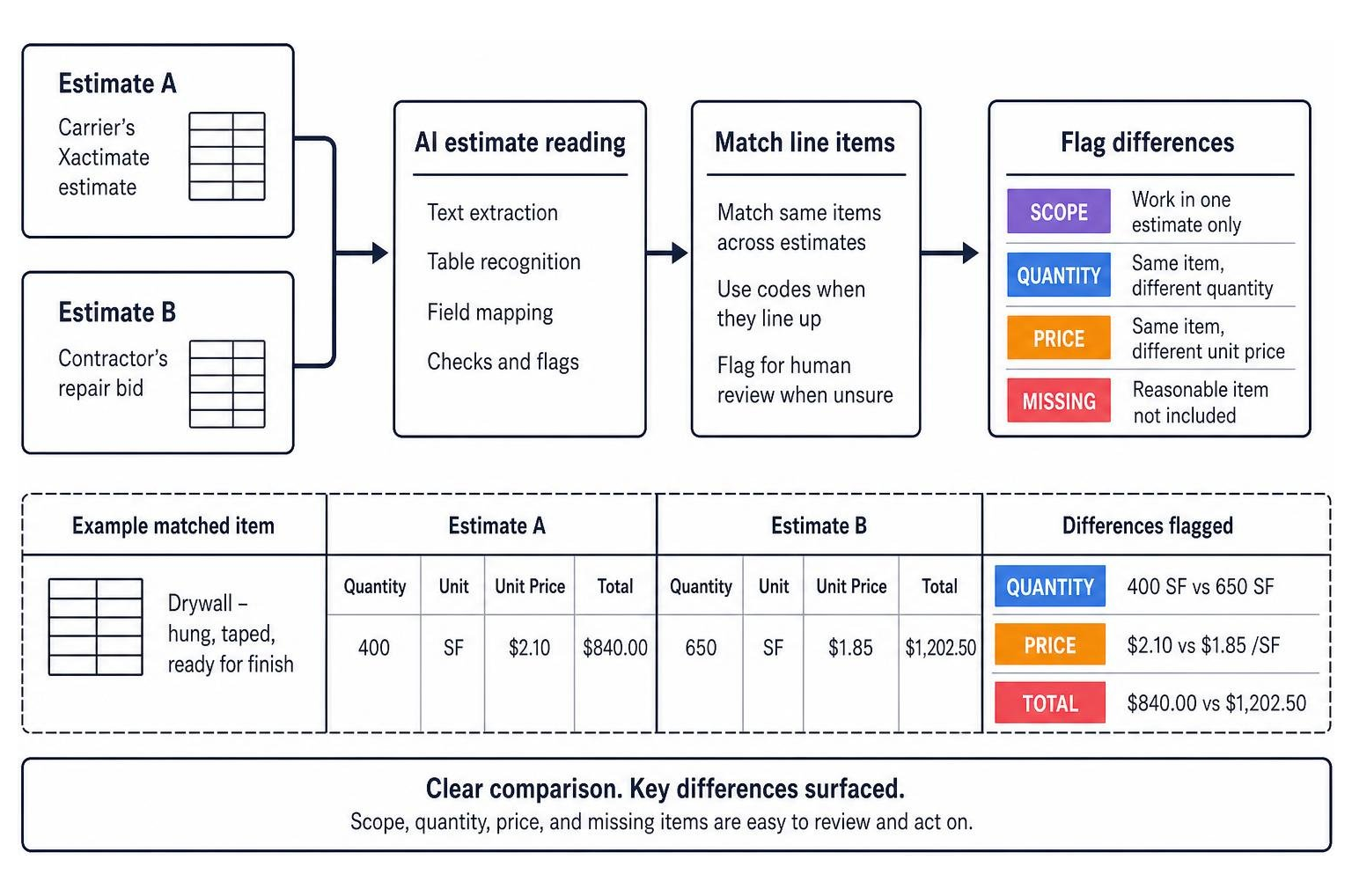
That structure matters. A reader pulls out line items, quantities, units, unit prices, codes, and totals, then lets you compare one estimate against another. If a carrier scoped 400 square feet of drywall and a contractor scoped 650, the software should surface that gap rather than leave you hunting through forty pages. Our AI estimate comparison guide walks through this idea in more detail.
Estimate readers answer a focused question: what does this estimate say, and where does it differ from the other one? Because a reader can misread a quantity or match, each flagged difference still needs review against the source.
How AI estimate reading software parses estimate documents
Parsing happens in layers:
- Text extraction. Digital PDFs carry real text, so extraction is usually clean. Scanned pages need OCR, which converts an image of text into characters and can slip on blurry or skewed pages.
- Table recognition. Estimates are tables. The software must keep each row together, so a quantity does not drift onto the wrong description.
- Field mapping. Each row is split into code, description, quantity, unit, price, and total.
- Checks and flags. Good tools verify that quantity times unit price roughly matches the line total, and they mark rows they are unsure about.
That last step is the difference between a helpful reader and a confident guesser. Our Estimate Analyzer follows the same principle for claim estimates: surface what was read, and make the uncertain parts easy to inspect.
How AI estimate reading software compares line items
Once two estimates are structured, comparison becomes bookkeeping that software does well. It can find:
- Scope differences: work that appears in one estimate only.
- Missing items: a line a reasonable scope should include, such as a related removal or finish step.
- Quantity variances: the same item measured differently.
- Price differences: the same item priced at different unit costs.
- Revision changes: what moved between version one and a supplement.
Matching is the hard part. Two estimators may describe the same work in different words, so the software has to decide that two lines are the same item. When codes line up, it is easy. When they do not, a person should confirm the match. See how this works for Xactimate files in our Xactimate estimate comparison overview.
How estimate readers support insurance claims
In property claims, the estimate often already exists. A carrier writes one in Xactimate, a contractor writes another, and the dispute lives in the differences. Public adjusters, contractors, and attorneys need to see those differences quickly and defensibly.
What to look for in an estimate reader
Look for software that reads Xactimate estimates, structures the line items, and makes differences in scope, quantity, and price easy to inspect. The most useful workflow keeps the source estimate visible so a reviewer can confirm the match before relying on it.
Reviewers should be able to move from a flagged difference back to the relevant line item, description, quantity, unit price, or total in the original document. Clear flags help teams prioritize what needs attention without treating every extracted value as equally certain. They also help distinguish a reading issue from a genuine scope difference during review.
A reliable review process also records the conclusion reached after checking a difference. That creates a clearer claim file, supports handoffs between team members, and makes it easier to explain why an item was accepted, revised, or questioned.
Estimate readers for insurance claims
Adjusted reads Xactimate estimates natively, compares them line by line, and keeps claim files, documents, billing, and workflows in one secure dashboard.
Accuracy, inputs, limitations, and what to verify before sending
Any AI output is a draft, not a verdict. Trustworthy tools show their work: where a number came from, how sure the tool is, and which assumptions it made. Regulators think along similar lines. The NAIC’s model bulletin on insurers’ use of AI stresses governance, documentation, and human accountability, and that mindset applies to anyone relying on AI in claims work. Our guide to estimate comparison tools covers how to judge what a tool actually checks.
What AI can read, and where it can misread
Clean digital PDFs are the easy case. Trouble starts with:
- Scanned documents, where OCR can swap characters or merge columns.
- Photos, where angle, lighting, and glare hide details.
- Handwritten notes, which remain hard for most systems.
- Symbols and legends, which vary between drawing sets.
- Revisions, where an old sheet and a new sheet disagree.
This is a useful honesty test: identify the document types and conditions the software cannot read reliably before relying on its findings.
How accurate is AI estimate reading software?
Published accuracy figures vary by document type, test method, and the fields being measured. A result that looks strong for one kind of extraction does not prove that every quantity, price, or scope match is correct.
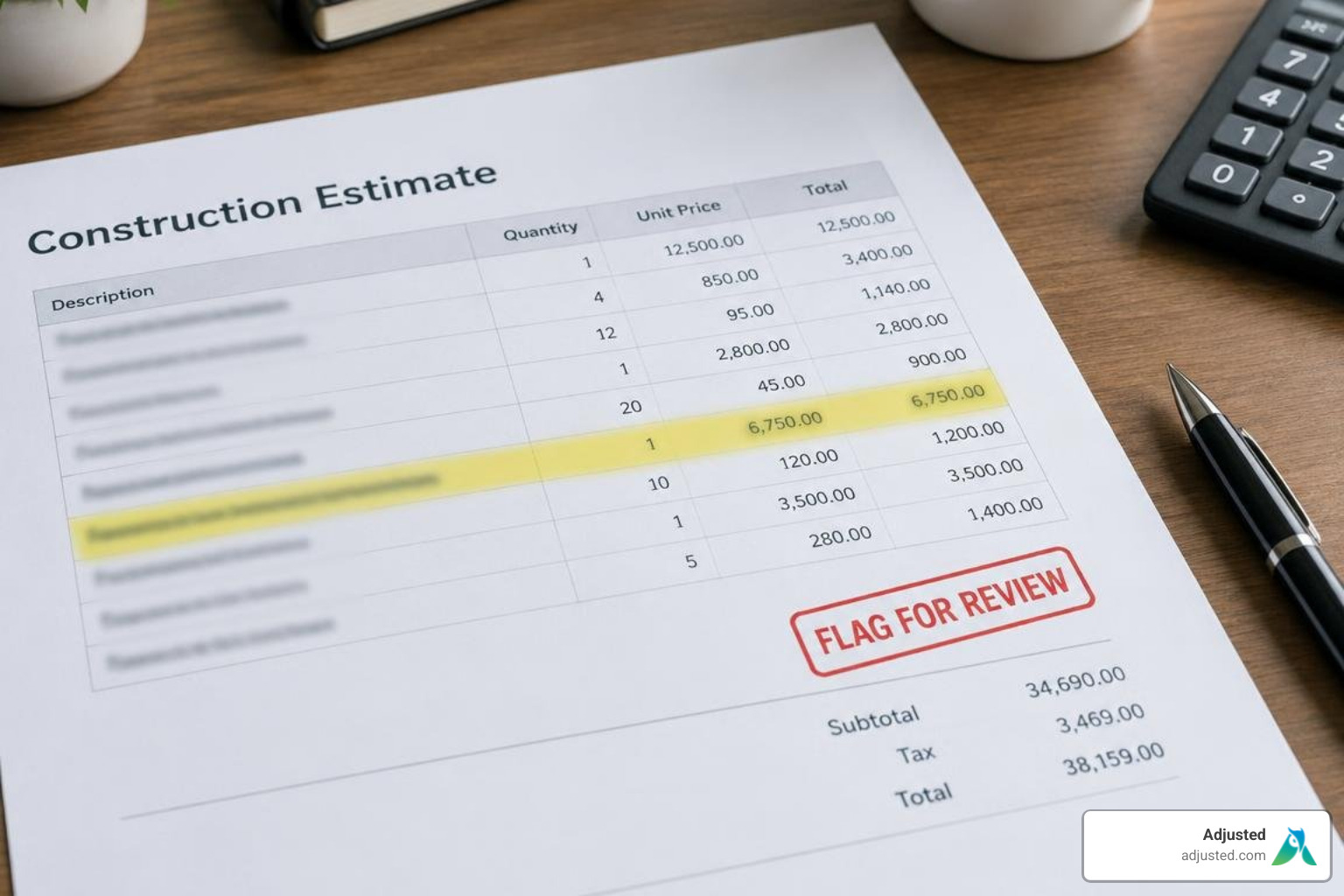
Treat AI as a strong first pass, then validate it with a person. Confirm line-item matches, quantities, prices, and scope against the underlying estimate before acting on the findings.
Current limitations and a pre-send review checklist
Known gaps vary by tool, but common ones include exterior work, steel stud and masonry, scanned plans, ambiguous scope, and anything not visible in the source. AI also tends to miss contractor-specific factors: your labor rate, minimum charge, site access, brand or grade, permits, haul-away, and local code requirements.
Before you send or rely on an AI-assisted estimate, run this quick check:
- Read every line description aloud; rename anything a client would not understand.
- Spot-check quantities against the drawing, photo, or source estimate.
- Confirm waste factors and unit conversions.
- Swap in your own labor rate, minimums, and local tax.
- Add site conditions the AI could not see.
- Review low-confidence or “needs a number” items first.
- Sanity-check the total against similar past jobs.
Skipping review is costly in its own way. We explain the tradeoff in the hidden cost of manual estimate review, where the point is that good AI shifts human time from retyping to judging.
From AI-read estimate to reviewed claim file
Reading an estimate is only the first step. The rest is reviewing differences, documenting decisions, and keeping the claim file organized.
What should you expect from a claims workflow?
A claims workflow should make it easy to inspect source documents, compare estimates, record decisions, and keep related files together. Confirm the review trail and document controls before relying on a platform for client-facing claim work.
How estimate readers fit into claims workflows
For claims work, the workflow that matters is keeping estimates, documents, billing, and related tasks in one place. Adjusted centralizes them in a single dashboard built for claims professionals. Also confirm how files are stored, whether source documents are deleted after processing, and what you can export if you leave.
What to confirm before choosing estimate-reading software
Confirm that the software supports the estimate format your team receives and that reviewers can trace every material finding back to the source. Also review document security, export options, billing workflow needs, and the level of human review the process requires. A tool is useful only when its findings can be checked and used in the way your claims team works.
Frequently asked questions about AI estimate reading software
Should estimate-reader findings be used without human review?
No. Verify line items, scope assumptions, quantities, local prices, and code requirements before approving a conclusion. The software can speed up comparison, but a reviewer remains responsible for the decision.
Is estimate reading software the same as estimate comparison software?
Estimate-reading software turns an existing estimate into structured information. Estimate-comparison software uses that information to identify differences between versions or between estimates. In practice, claims teams often need both capabilities in one workflow.
Conclusion
Start with the estimate in front of you. If it is a carrier or contractor estimate, use a reader that can surface differences and keep the source visible for review. Then insist on evidence, confidence flags, documented decisions, and final approval by a person. For claims teams, our claims estimate review software overview is a good next step, and you can see how Adjusted supports AI-powered claims workflows.